 KeenKit Headers
Change HTTP headers in Chrome.
KeenKit Headers adds, changes or removes request and response headers, with profiles and URL filters. Profiles are stored in your browser. Chrome sends the request values you configure to matching servers.
Chrome Web Store listing: coming soon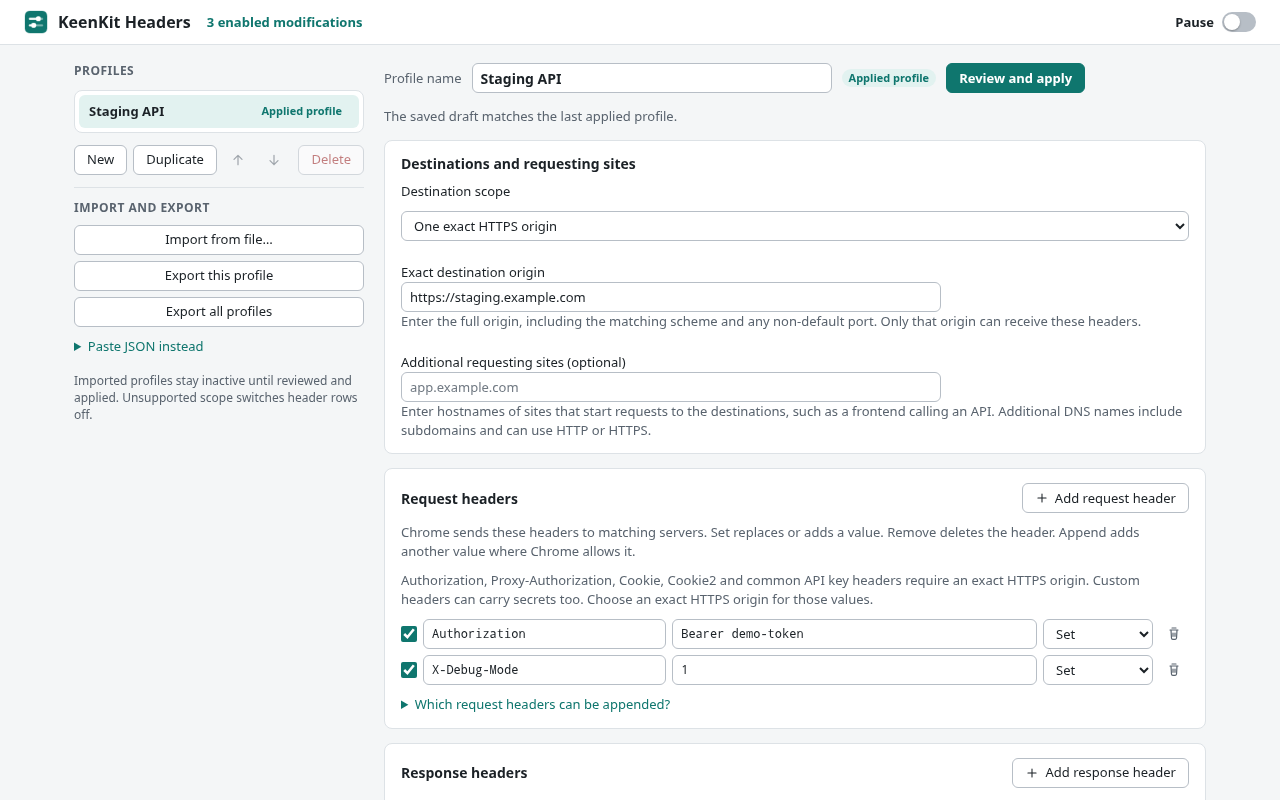
What it does
Request and response headers
Set or remove request and response headers, or append where Chrome allows.
Profiles
Keep separate profiles for staging, local development or testing. Edit drafts from the toolbar and review before applying.
URL filters
Choose destination sites and narrow them with URL filters or RE2 expressions. One exact HTTP or HTTPS origin and all-sites scope are separate choices.
Page loads included
Include supported request types such as page loads and fetch, or pick specific types.
Always visible
The toolbar badge counts enabled modifications. Pause shows OFF after Chrome confirms removal.
Import and export
Import JSON as an inactive draft. Export a plaintext backup or omit all header values.
Why you can trust it
- No analytics, no tracking, no ads and no account.
- The extension makes no network requests of its own and loads no remote code.
- Two permissions:
declarativeNetRequestWithHostAccessto change headers andstorageto keep your profiles in this browser. - Chrome requires access to the destination and, where applicable, the site that starts the request. KeenKit Headers requests access for the scope you review and releases grants the applied profile no longer needs. It does not read page content.
- Setting or appending values uses HTTPS by default. Plain HTTP requires approval for one exact local or private development origin. Standard and custom credential profiles require one exact destination.
Moving from another header tool?
Export your profiles as JSON from your previous tool, then choose Import from file in the KeenKit Headers editor. The importer reads the common export format (profile title, request and response headers, URL filters) and lists what it imported and what it skipped. If active scope cannot be imported, the header rows come in switched off. Review destinations and request types before applying an imported profile.
Good to know
- Chrome applies the changes itself, through its declarativeNetRequest API. Some limits come from Chrome.
- Chrome has a request-header allowlist for Append. Overlapping filters can append more than once. Chrome may handle browser-controlled headers differently.
- Regular expressions use RE2 syntax: no lookahead and no backreferences.
- Version 0.1.2 is free with no fixed profile count. Chrome local storage limits apply.